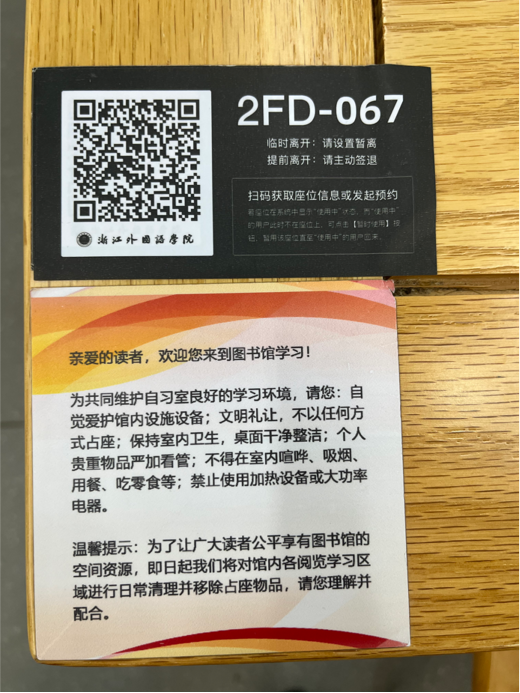
图书馆每个座位上都有二维码。
There are QR codes on every seat in the library.
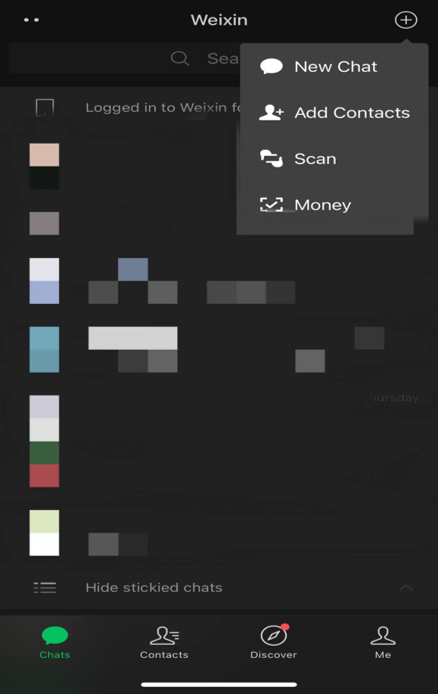
打开微信右上角“+”号,选择”扫一扫”。
Open the “+” sign in the upper right corner of WeChat and select” Scan”.
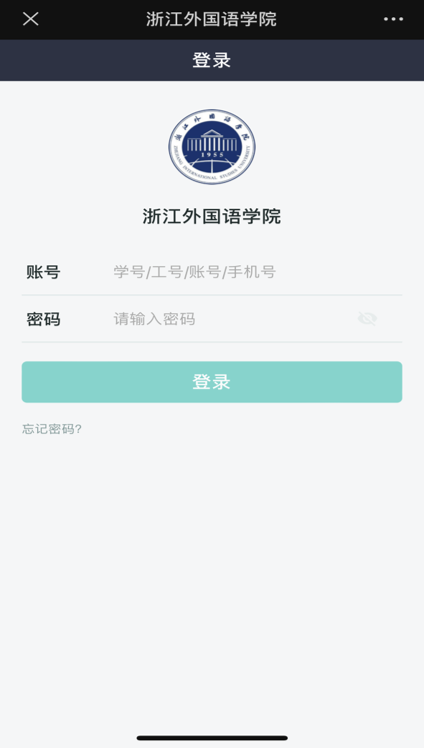
第一行输入学号,第二行输入密码,初始密码为护照后六位,然后点击“登录”。
Enter your student number on the first line, the password on the second line and then click ”log in”. The initial password is the last six digits of your passport.
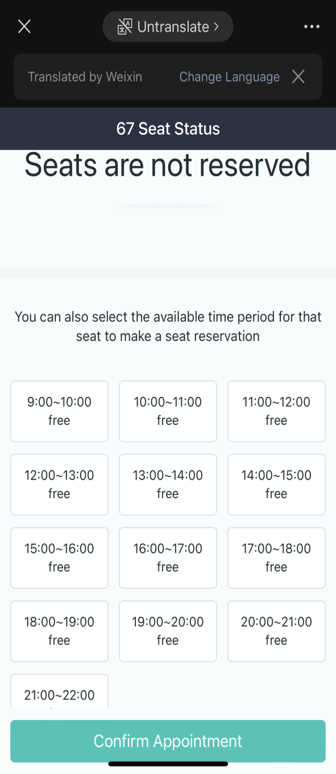
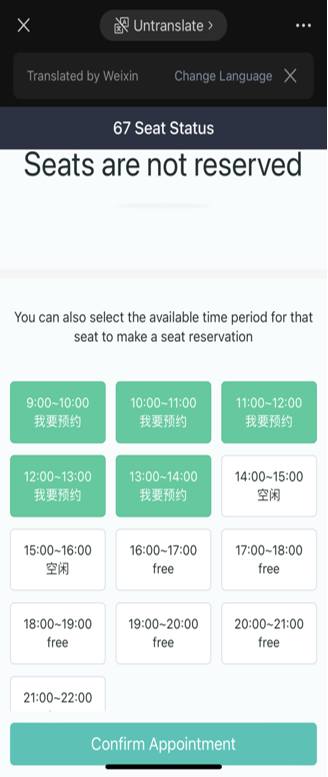
选择你要预约的时间段,最多时长是五个小时,然后点击最下方的“确认预约”。
Select the time period you want to book, the maximum length is five hours, then click "Confirm appointment".
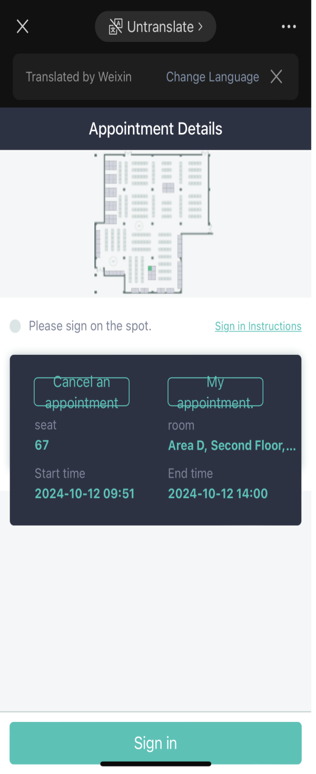
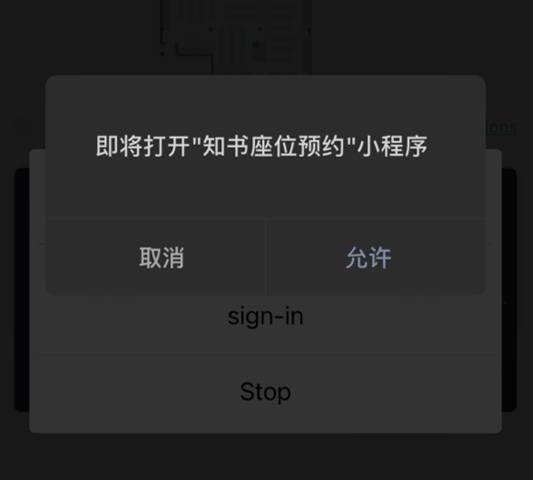
预约成功后点击最下方的“签到”,再点击第二栏打开“知书座位预约”小程序。点击“允许”。
After the reservation is successful, click on the bottom of the "sign in", and then select the second bar to open the "book seat reservation" mini program. Click "Allow" to enter the applet.
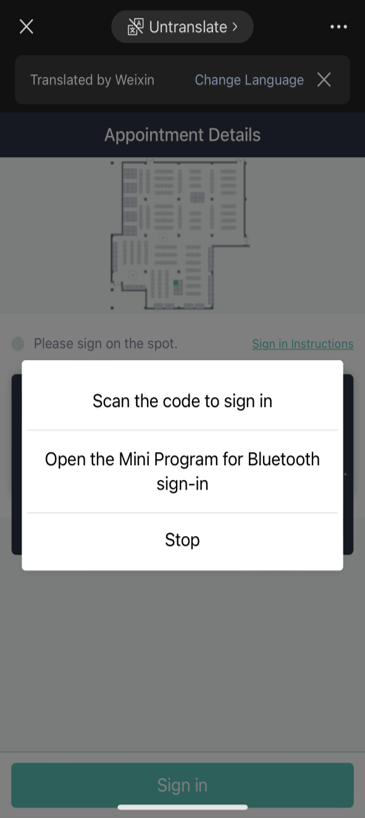
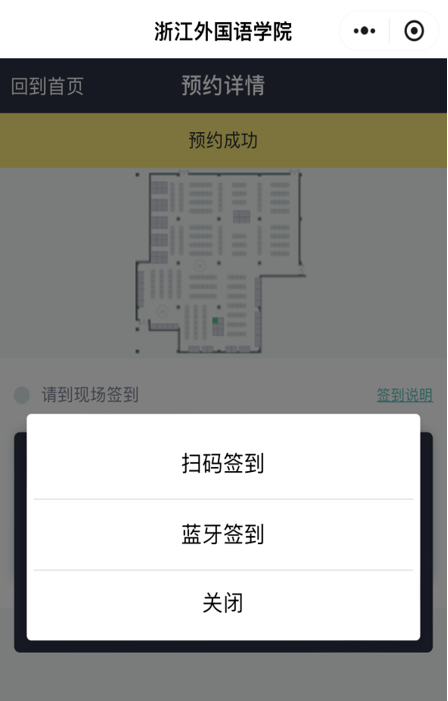
第一行是“扫码签到”,点击后扫描桌上二维码。第二行是“蓝牙签到”,确保身处已预约座位附近。两种方法任选其一即可。
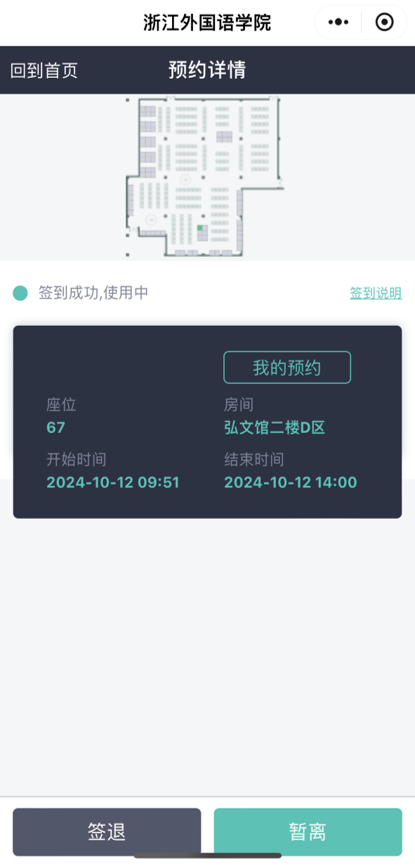
如果暂时离开座位,点击右下方“暂离”。如果在预约时间结束前想离开图书馆,点击左下方“签退”。
The first line is "scan code sign-in". Click it and scan the QR code on the table. The second line is "Bluetooth sign-in" to make sure you are near your reserved seat. You can choose either of the two methods.
If you leave your seat for a while, click "Leave" at the bottom right. If you want to leave the library before the appointment period ends, click "Sign out" at the bottom left.