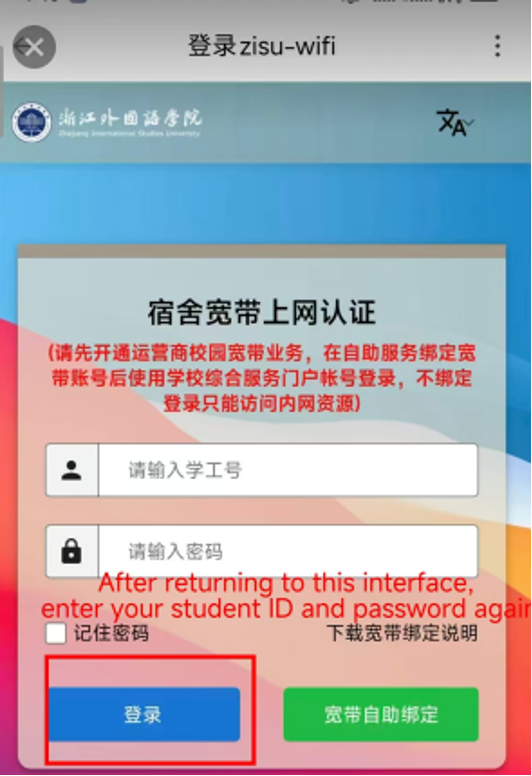
The key to using the dorm Wi-Fi is Linking your School Account to the Wi-Fi system.
Next, we’ll cover Two Steps:
First, activating your school account,
Second, linking it to the Wi-Fi system.
To use the dorm Wi-Fi, you must ensure that your SIM card was purchased on campus at ZISU.
If your SIM card was bought off-campus or elsewhere, you will not be able to connect to the dorm Wi-Fi.
Activat school account [Step1 and Step2]�
http://my.zisu.edu.cn
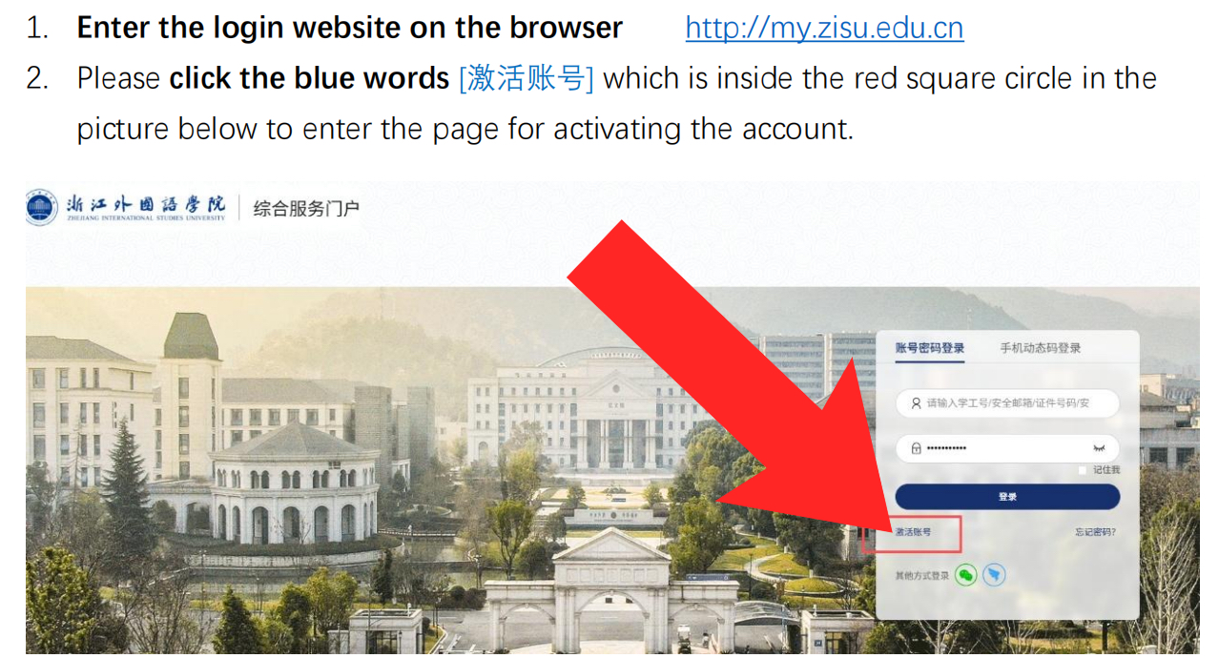
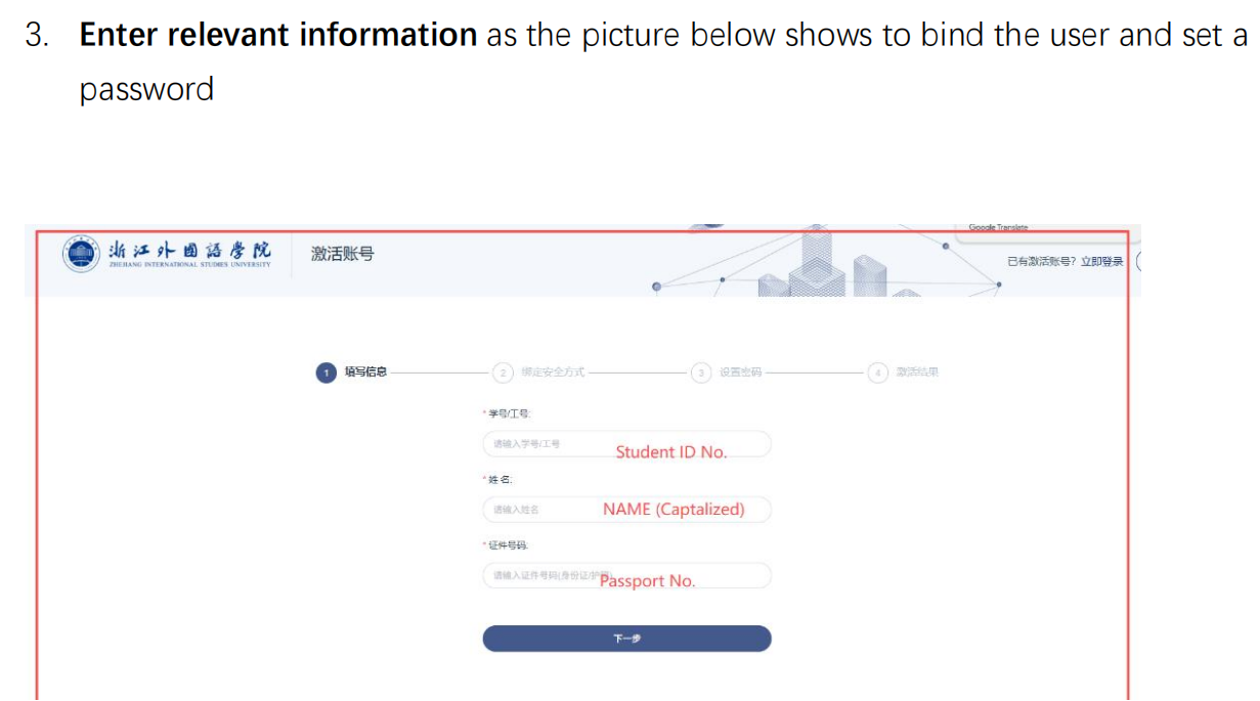
Activat school account [Step 3]
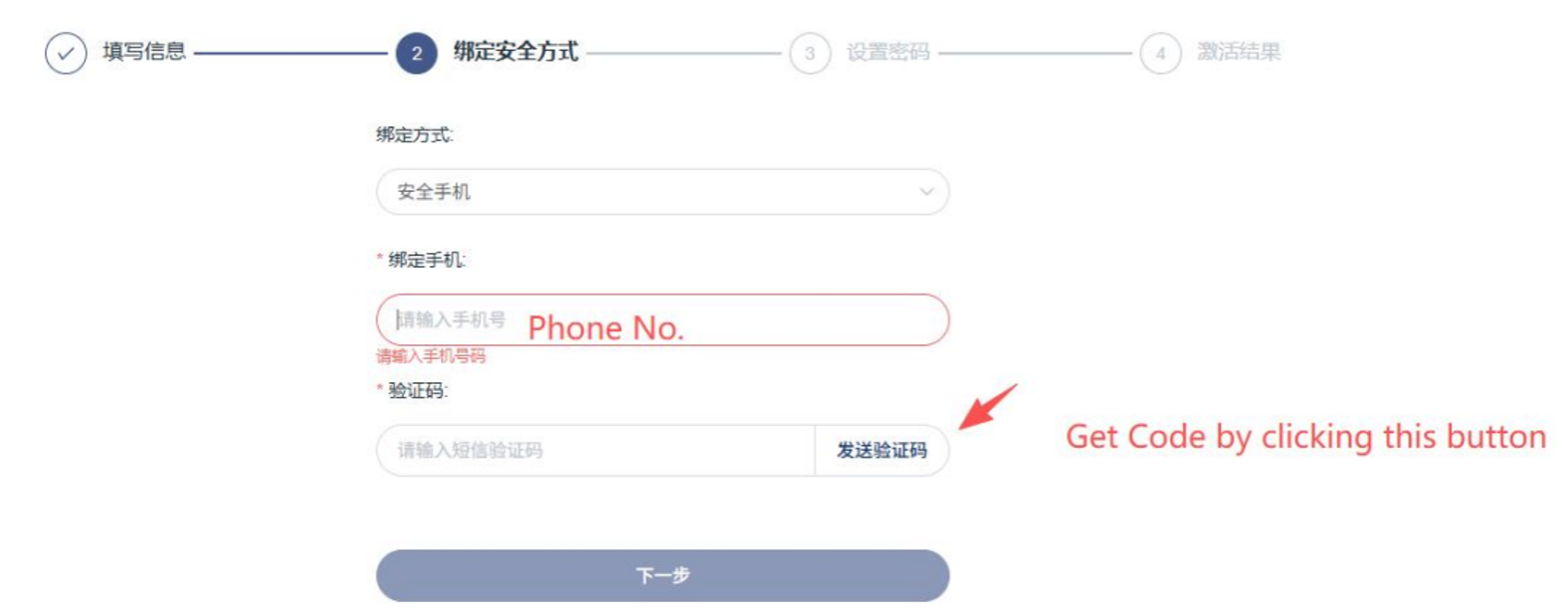
Activat school account [Step 4]�

Activat school account Finished! �
Then Let’s link the account to the WIFI system!
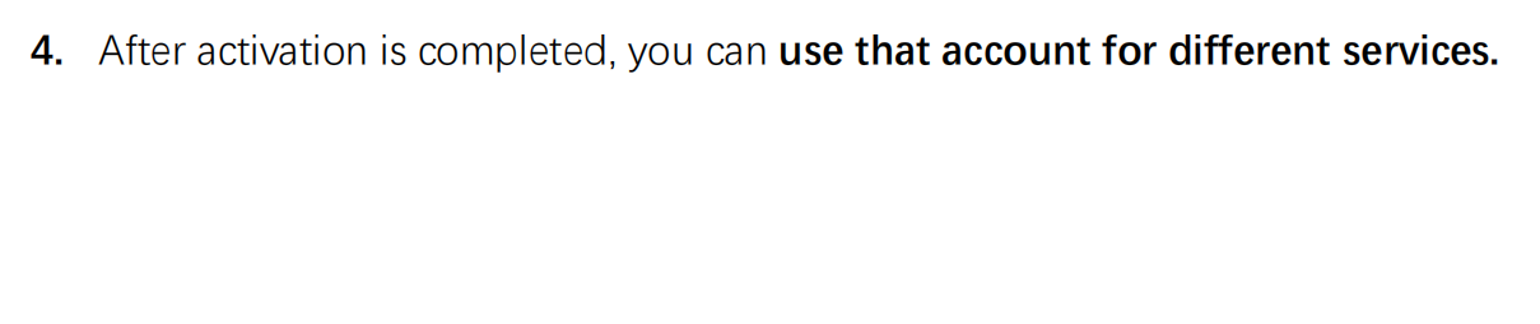
Link account to the Wi-Fi system STEP 1
Select the drom wifi {zisu-wifi}
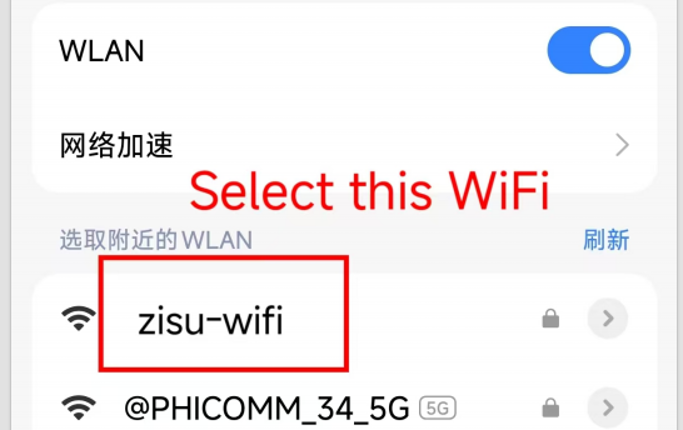
Link account to the Wi-Fi system STEP 2
Click the GREEN one
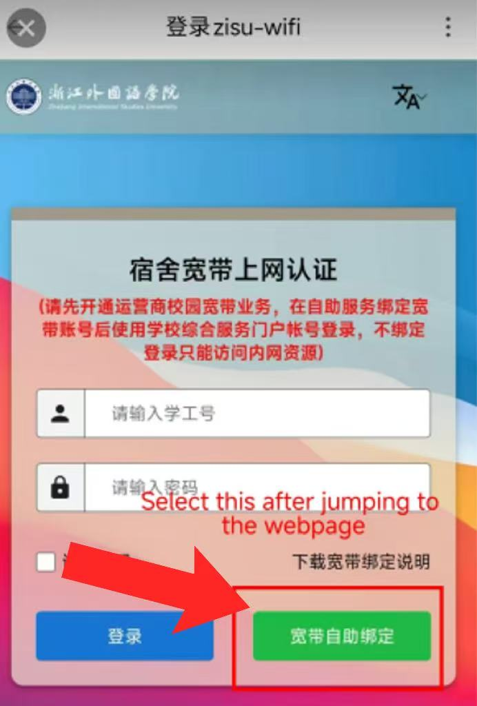
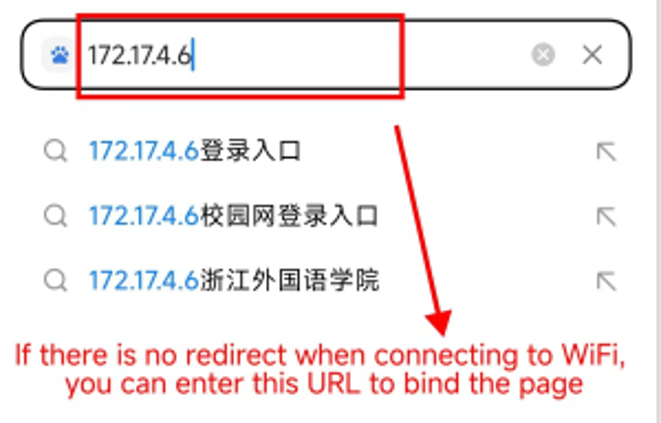
172.17.4.6
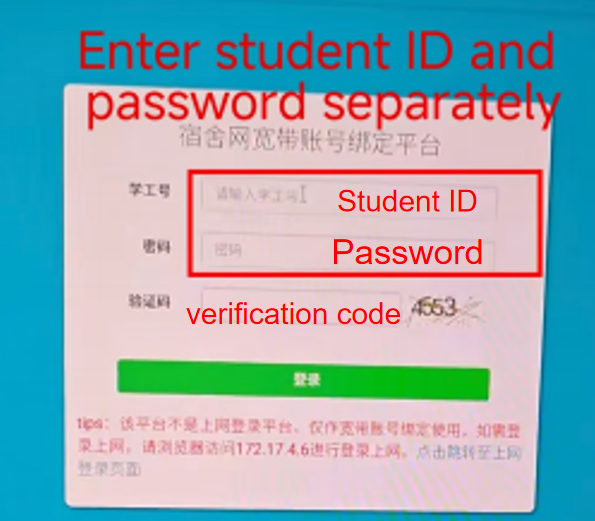
Link account to the Wi-Fi system STEP 3
Enter your student ID, password, and verification code, then click the green "登录" button. (The account is the one you just activated)
Link account to the Wi-Fi system STEP 4
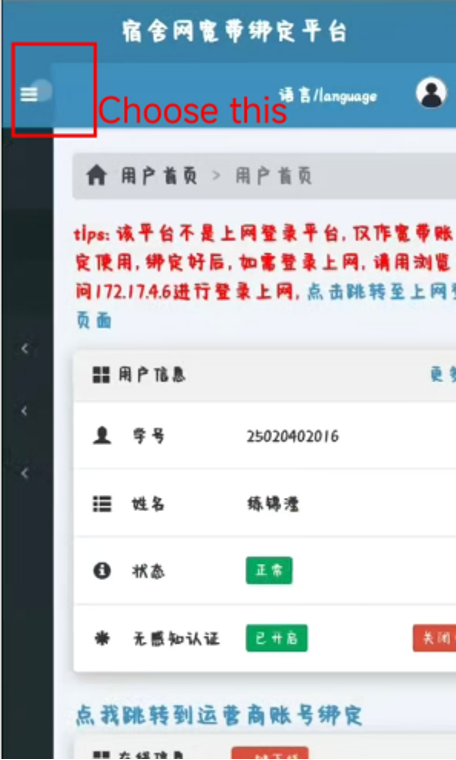
Link account to the Wi-Fi system STEP 5
Select the option of wavy lines
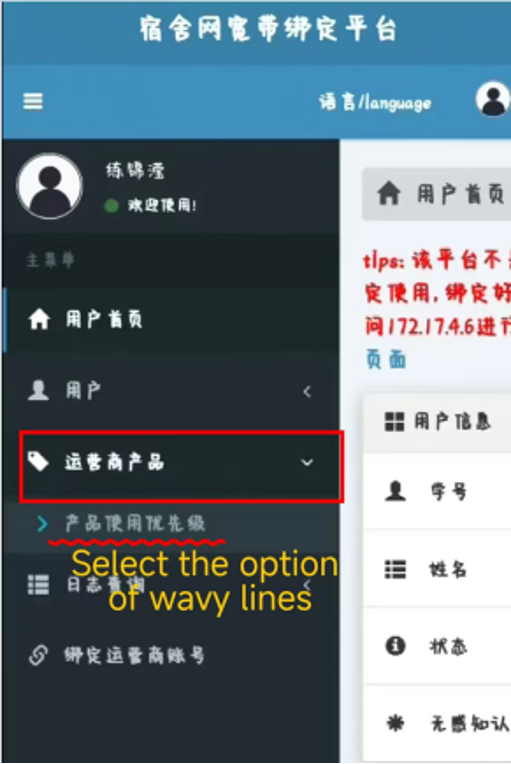
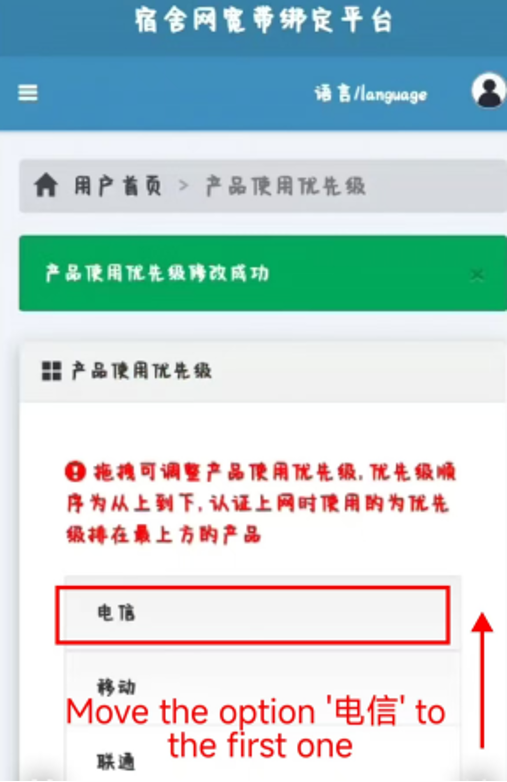
Link account to the Wi-Fi system STEP 6
Move the option 电信 to the first one
Link account to the Wi-Fi system STEP 7
After completing the previous step, Click 1 and 2
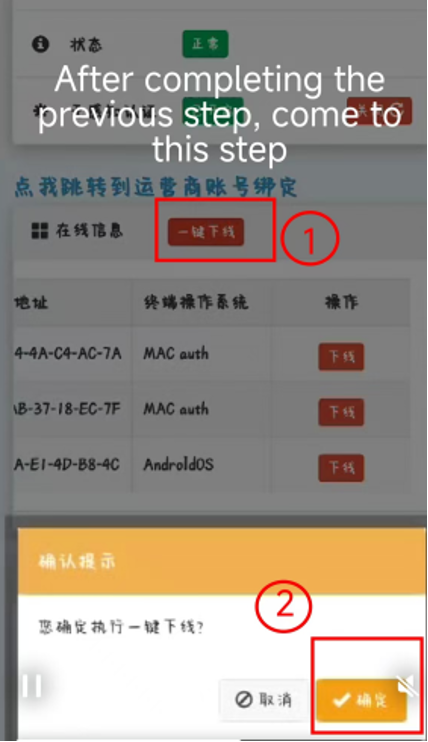
Link account to the Wi-Fi system STEP 8
Click the blue Chinese words:
点我跳转到运营商账号绑定
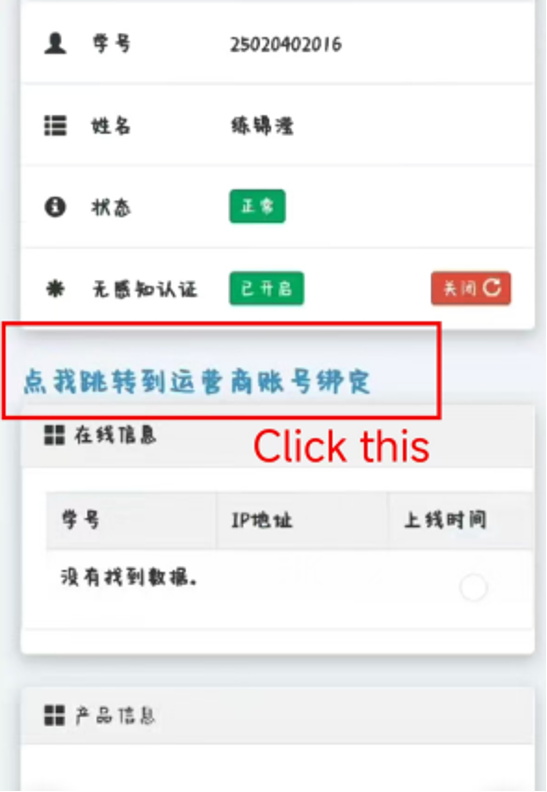
Link account to the Wi-Fi system STEP 9
Click the first green”确定” one
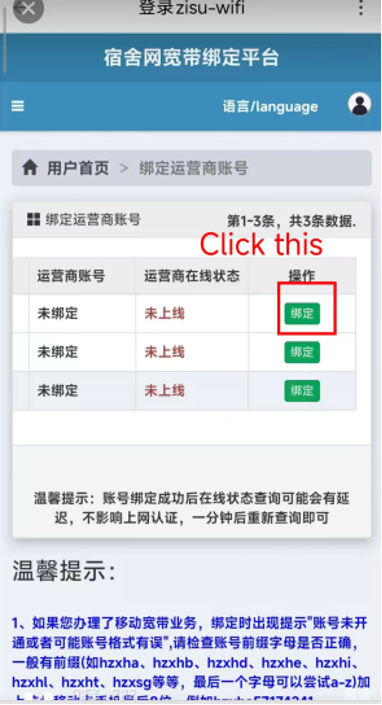
Link account to the Wi-Fi system STEP 10
Enter Your phone number@JYXY.XY (Type twice for confirming)
Enter the last six digits of your phone number (Type twice for confirming)
After entering all your information,click the green chinese button:确定
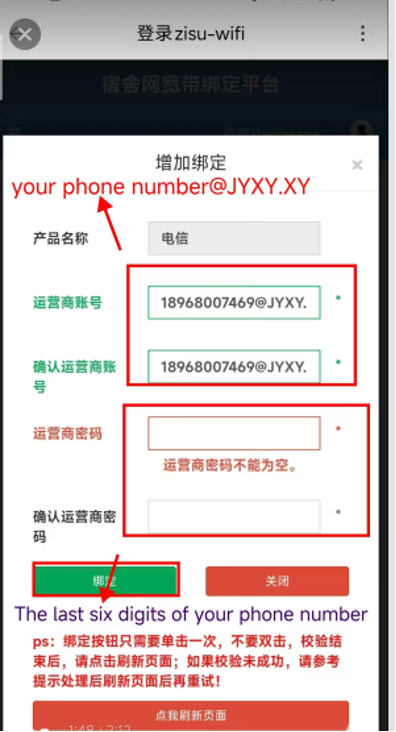
Link account to the Wi-Fi system STEP 11
Click the blue Chinese words:
点我去上网登录
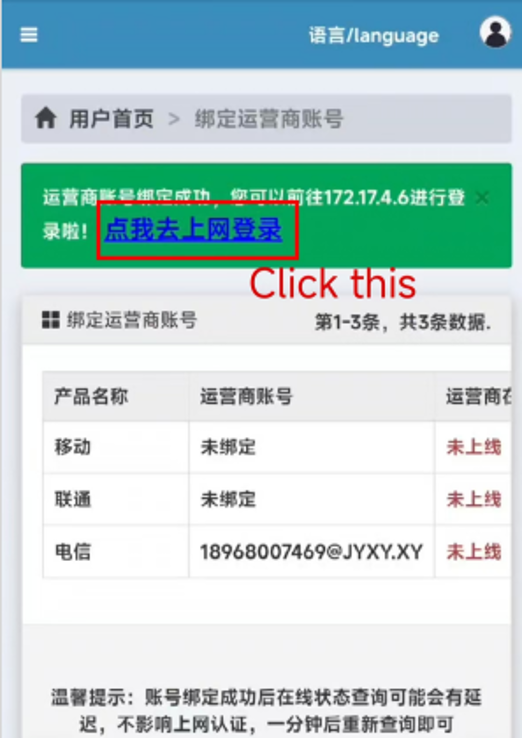
Link account to the Wi-Fi system STEP 12
Finished!
1.Then enter your student ID and password
2.Click the blue Buttom:登录
3.Use WIFI now!