Before using some of the school service like School wifi or library seats booking, the student needs to activate the service account which belongs to his own.
The steps are as follows.
1. Enter the login website on the browser
http://my.zisu.edu.cn
2. Please click the blue words [激活账号] which is inside the red square circle in the picture below to enter the page for activating the account.
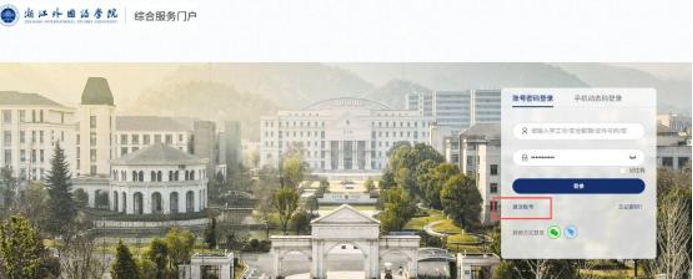
3. Enter relevant information as the picture below shows to bind the user and set a password
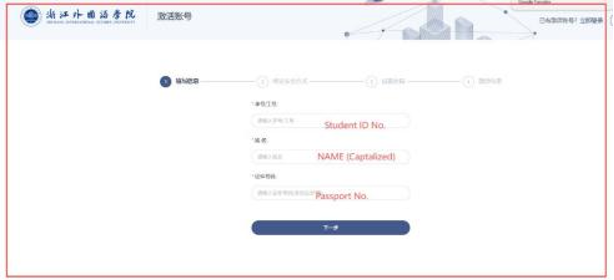
After the above phone no. Code is inputted. The page will jump to the next page which is for yourself to set your own password which should include the Big letter, small letter and numbers.
4.After activation is completed, you can use that account for different services.


