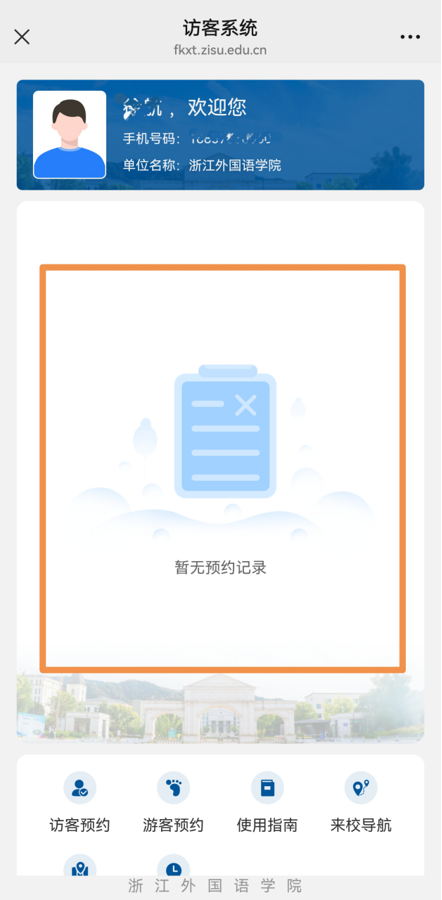
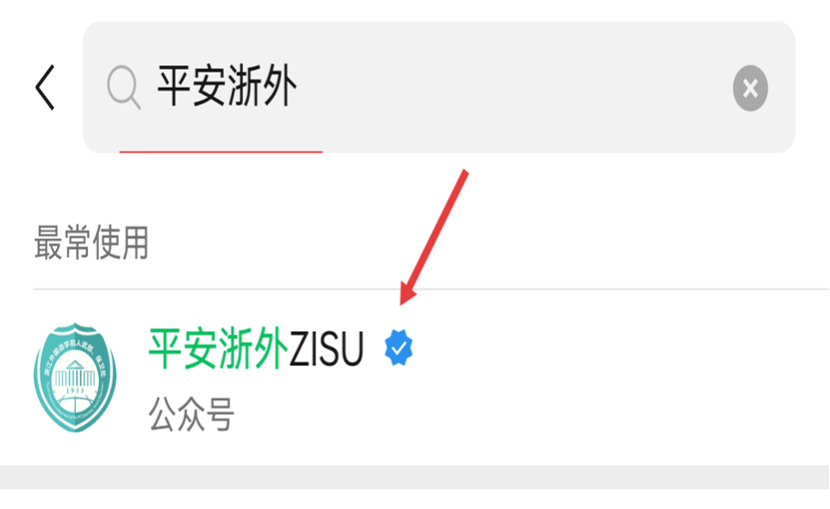
Step 1
Input 【平安浙外】in the wechat search area.
Click the service account to→ enter the service
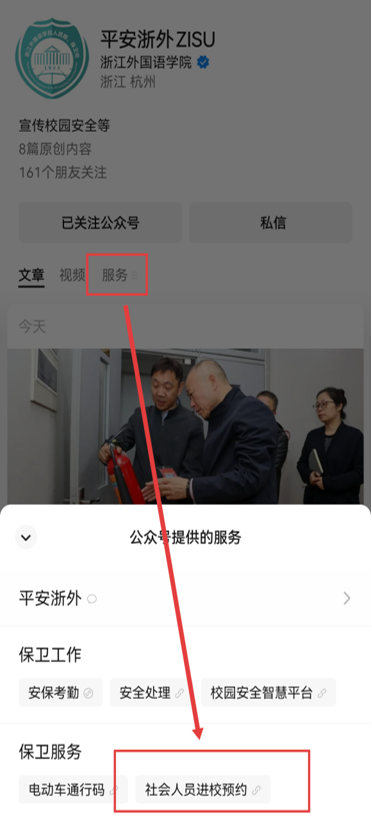
Step 2
Click【服务】,then click 【社会人员进校】 to enter the surface of appointment page.
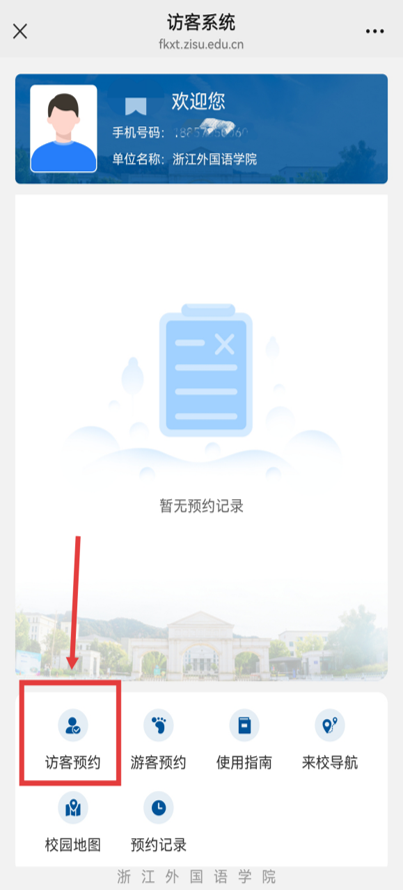
Step 3
Click【访客预约】
Step 4
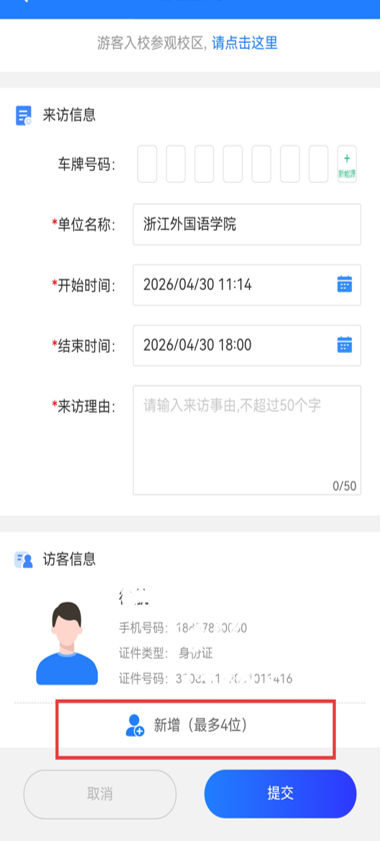
Click【新增(最多4位)】 to add the visitors’ information. (Maximum 4 visitors)
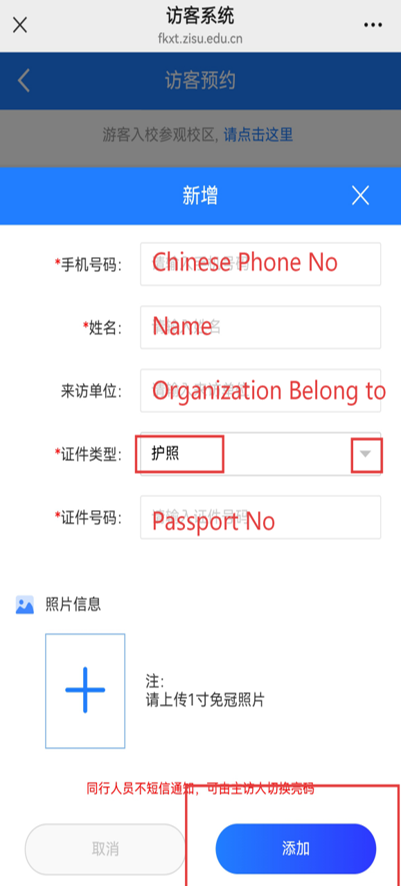
2. From top to buttom, input the
手机号码Chinese Phone No./
姓名Name /
来访单位Organization you belong to/(Optional)
证件类型The type of Personal Certificate (Choose second one 护照(Passport))/
证件号码The No. of the Certificate you choose
【Click the blue 添加 to save the information of each visitor】
Step 5
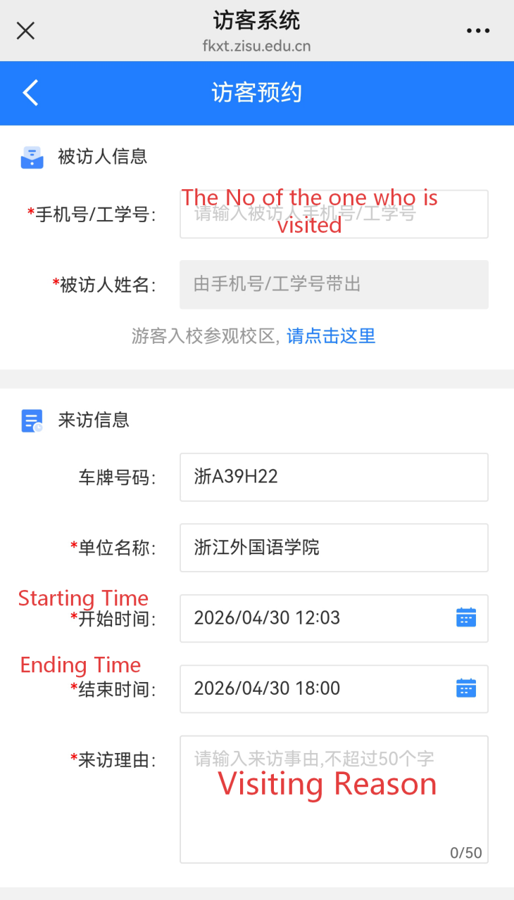
Input the ID No. of the one who is visited
The starting And Ending Time
Visiting Reason
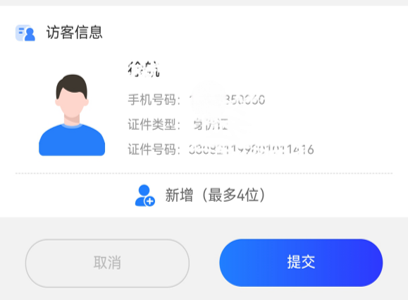
Choose the visitor and click Blue button 【提交】to submit the application
Step 6
When the application is approved,
The area inside the red box will has a green Code that can be used for entering the canpus